Monday, February 14, 2011

How to take a Screenshot

Sy telah direquest utk ajar cmner nk buad screenshot .
So , here we go , come with me .

1st Step . 
Tekan butang "PrtSc" kt keyboard korang .

2nd Step .
Open "Paint" kt korg punyer desktop or laptop or mane2 je lha keyh :D
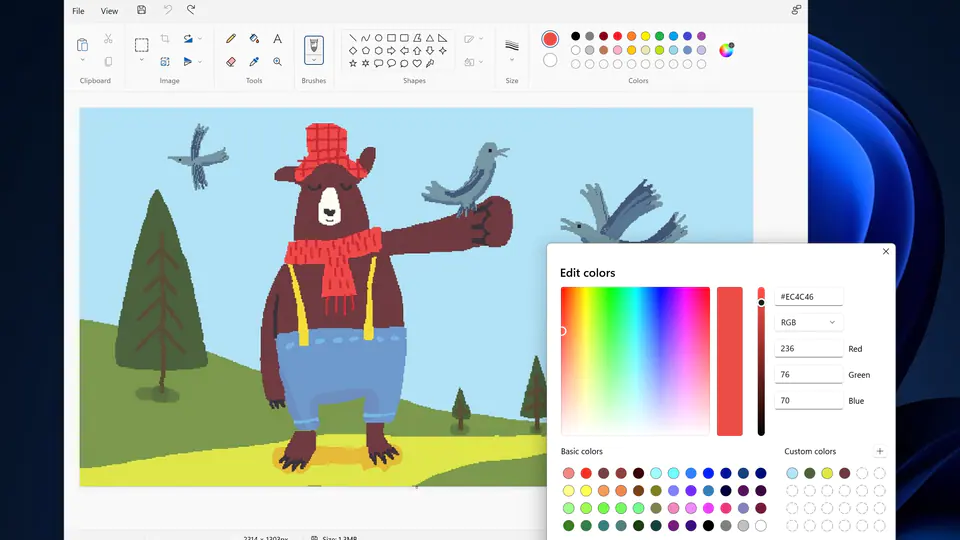
3rd Step 
Pegi kt "Edit" then click "Paste"

4th Step
WALLA ! ttbe kuar gmbr desktop korang .
pepandailha crop sndiri and then save . pastu upload lha kat redt*be ke you***z ke ahaha :D

Welcome to This Awesome-to-be Blog .

Hey , I'm dean and i'm admin of this blog .

abit intro about myself .
my real name is nick .
im 16 , not handsome at all and not tall .
but im interesting to be friend with .
im a freelance designer , i design flash banners, adobe banners, headers, website , template theme and evything about website .

but im still new in this computering field , so forgive me eahh ?
haha thanks for reading this un-so-interesting posts <3

ohh btw i love u , readers :D


:D
Related Posts Plugin for WordPress, Blogger...